Navigating RankGood
RankGood is organized into clear sections accessible from the sidebar navigation. This guide explains how to find your way around the platform.
Written By Alex Frees
Last updated 7 months ago
Sidebar Navigation
The sidebar on the left side of the screen is your main navigation. It is organized into sections based on feature areas.
Screenshot: The full sidebar navigation showing all menu items grouped by section.
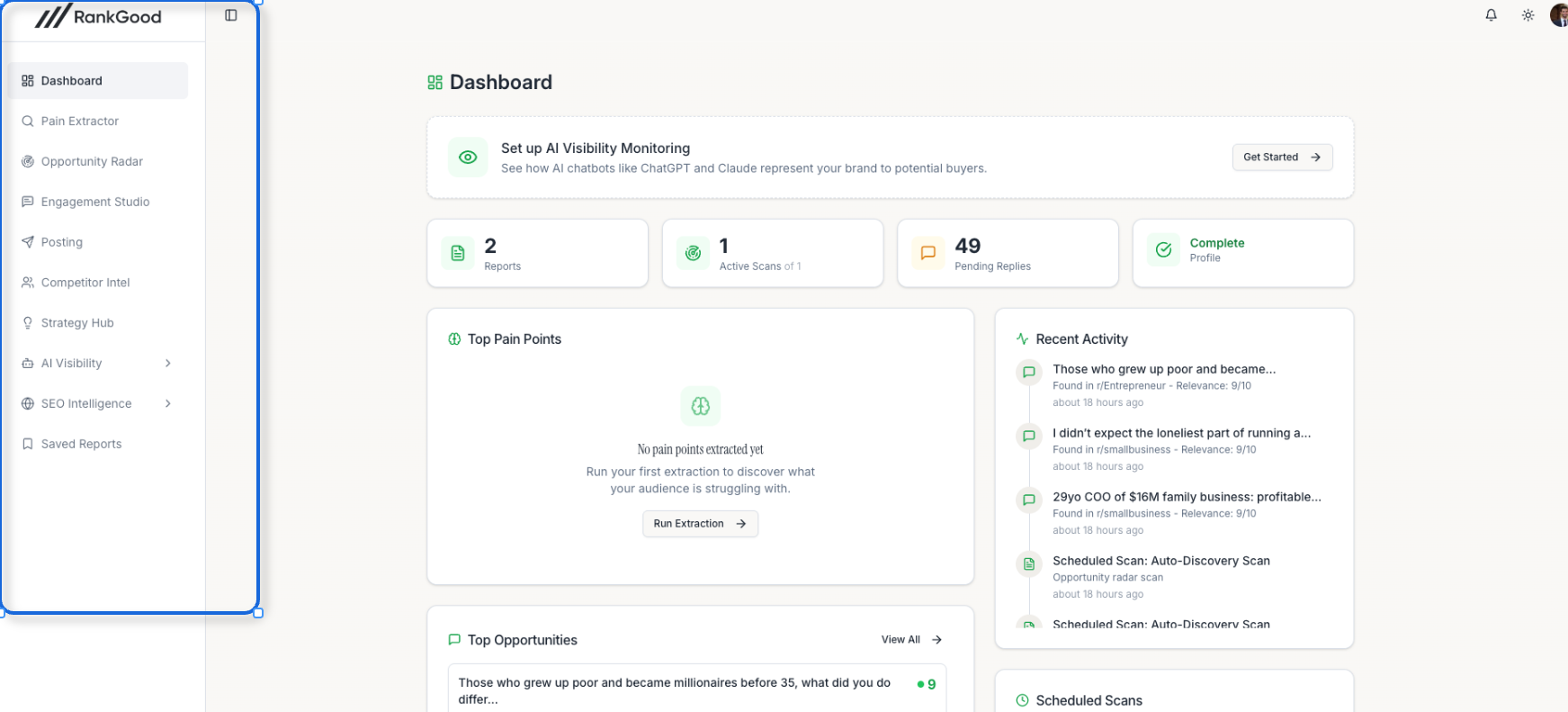
Core Tools
Intelligence
Other
Notifications
The notification bell icon in the top navigation shows your unread notification count. Click it to see recent notifications including:
Completed scan results
New opportunities discovered
Approval requests (for agency users)
System alerts
Click any notification to navigate directly to the relevant feature.
Dark Mode
RankGood supports dark mode. Toggle it from the theme switcher in the top menu in the upper right of the screen next to your profile.
Mobile Navigation
On smaller screens, the sidebar collapses into a hamburger menu. Tap the menu icon to expand navigation. All features are fully accessible on mobile devices.
Agency Navigation
If you are on an Agency plan, you will see additional sections in the sidebar:
Agency users also see a Client Selector to switch between client accounts when using core tools.
Client Portal Navigation
Agency clients who access the platform through an invitation see a simplified navigation:
Client Dashboard
Approvals
Reports
Opportunities (if enabled by the agency)
Related Articles:
Still need help? Ask the team